 EN
EN

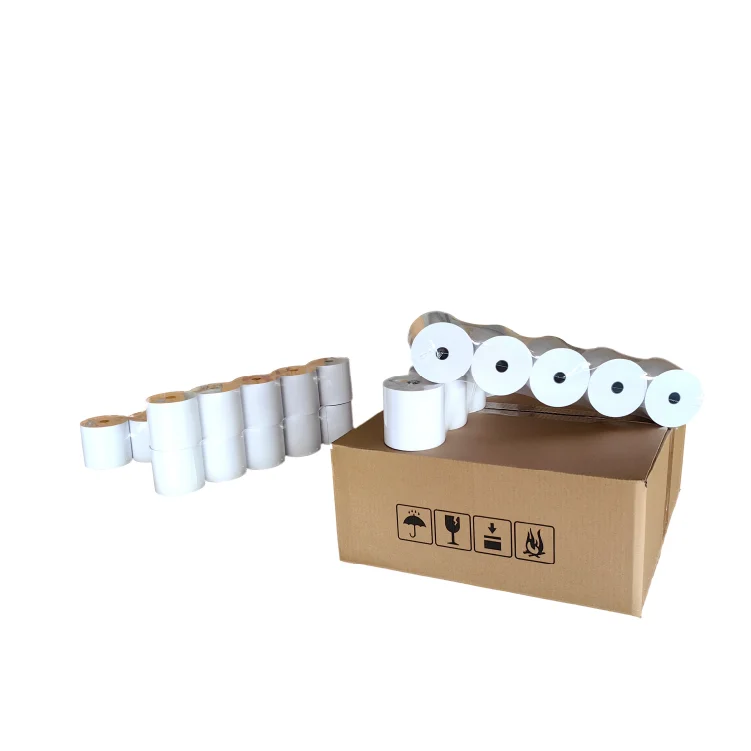
POS Thermal Paper Roll Care - For Clear Receipts All The Time
Taking care of the thermal paper rolls in your Point of Sale (POS) system is critical to maintaining clear receipts. By consulting a few basic maintenance tips you can head off problems like faint print or paper jams before they have the chance to affect your receipts. Removing clutter from your receipts is important for making sure that customers are satisfied with their transaction and for record-keeping purposes. Let’s go over some important approaches to help you preserve your POS thermal paper rolls as well as why it’s essential for you to ensure that those receipts in your files stay clean and legible.
How To Keep Your POS Thermal Paper Rolls In Shape
The High Importance of Caring for Your POS Thermal Paper Rolls - To maintain optimal operations and provide people with clear receipts, it is important that you keep in mind maintenance. Following are some useful tips for you to take care of your thermal paper rolls.
Proper storage of paper rolls: Ensure that you store your thermal printer rolls in a cool, dry area such as is not exposed to direct sunlight for heat sources. Heating and light exposure deteriorate the paper quality, which cause blank lines or faded print on your printed receipts.
Do not touch the paper: Please care the printer's thermal head and avoid touching it directly or print paper after 3 rolls of the thermal receipt. Oils and debris from your fingers will also readily leave deposits on the paper, which can impact print quality.
Keep the printer clean: Dirt and dust can gradually build up inside the printer, leading to paper jams and poor quality prints. Keep the printer clean per the manufacturer's instructions to avoid problems with your thermal paper roll.
Choose the right paper rolls: Purchase high quality thermal paper rolls suitable for your POS system. A poor quality paper may cause a smudge or illegible image, ruining both the customer’s receipt and inkjet printer.
Change paper rolls before they are completely empty: Monitor the number of your POS thermal paper rolls and change them in good time. Going through all that paper, and the printer goes out in the middle of a transaction, it just disrupts things, he said.
By adhering to these maintenance suggestions, you’ll be able to maintain the quality of your POS thermal paper rolls and continue producing receipts that are crisp and easy to read for your customers.
Why You Should Keep Your Receipts Readable
Here are reasons for having legible and clear receipts: For customer service Receipts contribute a lot to the overall customer experience when it comes to how good they will feel about their transactions. Here is why it’s important to maintain clear, readable receipts:
Customer satisfaction: Your customers deserve a professional & transparent shopping experience. Readable receipts make it easy for reviewer customers to check their purchases and possibly return for whatever reason.
Record: Good record-keeping starts with legible receipts. Clear receipts help you keep track of sales, returns, and inventory at a glance so that you can make informed management decision conducive to your business.
Compliance: In certain industries, companies need a clear and legible receipt in order to comply with regulations or taxes. And if your receipts are illegible, it can provoke problems in audits or compliance checks that might get you fined.
Brand recognition: Receipts printed with your company name and logo can help to strengthen your brand image in the minds of your customers. A clean and professional receipt can also make your business look more professional, which reply better on your brand.
When you take the time to maintain your POS thermal paper rolls, and make sure that your receipts are crystal clear and easy-to-read – it can satisfy customers, streamline record-keeping and keep you compliant with industry regulations. Clear receipts are nothing to take lightly, a small action can lead to big results in your business!
Typical Problems With POS Thermal Paper Rolls And How To Prevent Them
A problem common with POS thermal paper rolls is that they fade over a period of time. This can make receipts hard to read for the customers and may cause them to become upset. You are likely susceptible to the same phenomenon if you just leave your rolls unprotected for a long, long time. :-D This happens frequently during summertime, exposing them to direct sunlight. And - do not to bake the paper under printers or cash register lights excessively.
POS thermal paper rolls may also cause the printer to jam because it’s more of an envelope than a roll, due to its tight, conical shape. This may be due to using poor quality paper or not inserting the paper in the correct way into the printer. To avoid this problem, make sure that you are always buying thermal paper rolls from the known supplier such as star cube and follow the printer manufacturer’s procedure to setup or load the paper for printing.
How To Correctly Clean & Store POS Thermal Paper Rolls
One of the best ways to ensure your POS thermal paper rolls print properly is by routinely cleaning the printer’s thermal print head. It can avoid the build-up of dust and maintain a clear print, making your paper work crisp and clear. To clean the print head, you can carefully wipe this with a soft, lint-free cloth moistened using a little alcohol. Make sure to follow the manufacturer’s cleaning procedures so that you don't mess up your print head.
Aside from the print head, maintenance for your thermal paper rolls is equally important. Be sure to keep them in a cool, dry location and avoid high heat or humidity. When you load the paper into the printer, take care to ensure that it fits and does not cause jams. Just follow these few simple tips and your receipts should be nice and clear to read for clients.
Where Do I Buy The Thermal Paper Roll (Bulk) For My Business?
If you are in need of buying wholesale thermal paper rolls for your office, star cube is a good manufacturer with diverse range and professional quality. There are paper rolls to fit every model and POS application, and it is easy to order online at their website and have the paper delivered right to your business. Purchase large, which adds value to your purchase when you know there's always enough thermal paper at your disposal whenever it is needed for your machine. star cube wants to help you keep receipts clear and readable for your customers - take advantage of star cubes proven products and easy ordering system today!
Table of Contents
- POS Thermal Paper Roll Care - For Clear Receipts All The Time
- How To Keep Your POS Thermal Paper Rolls In Shape
- Why You Should Keep Your Receipts Readable
- Typical Problems With POS Thermal Paper Rolls And How To Prevent Them
- How To Correctly Clean & Store POS Thermal Paper Rolls
- Where Do I Buy The Thermal Paper Roll (Bulk) For My Business?